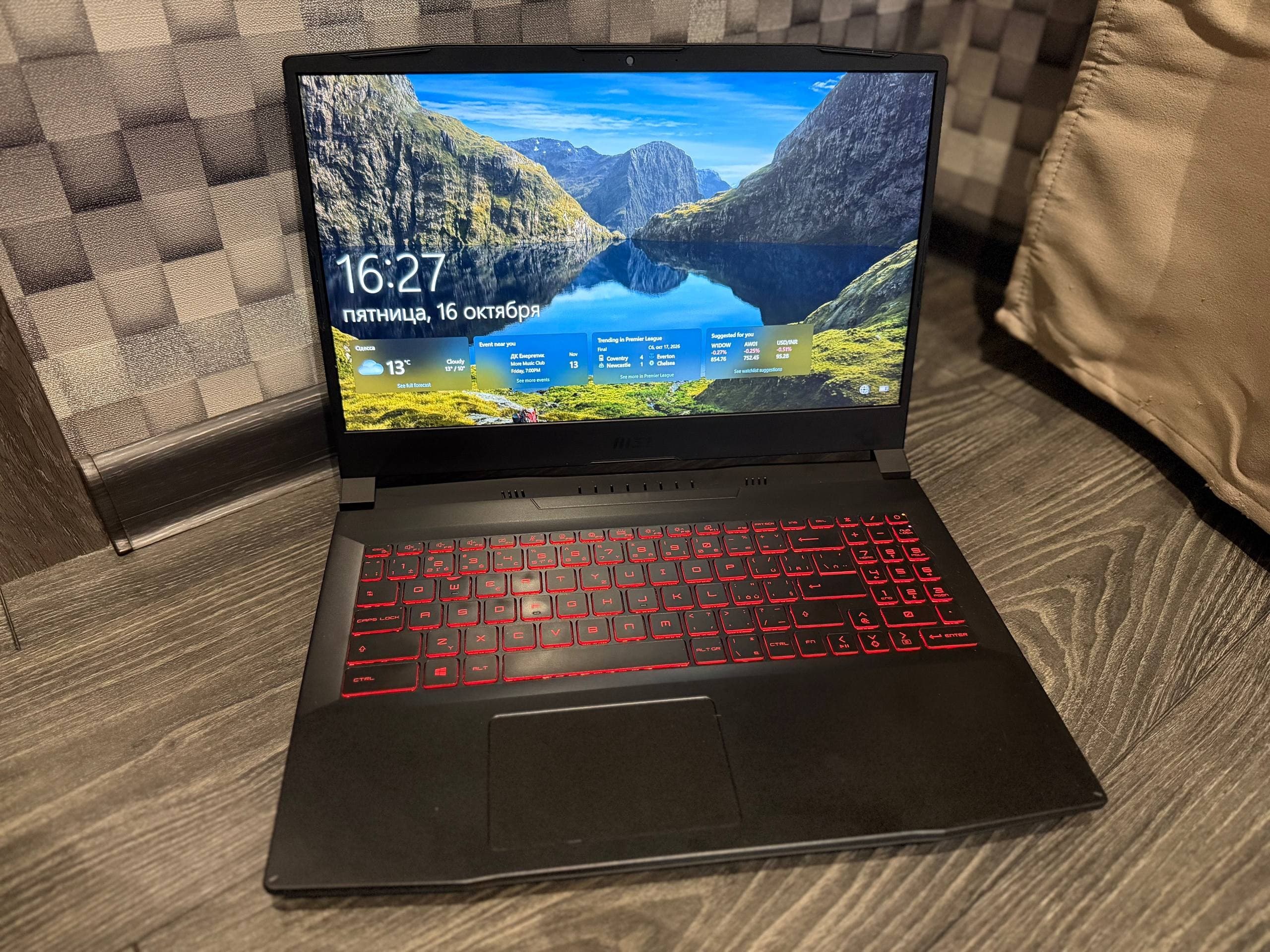
Buying a used laptop in Ukraine is easiest through listings from private sellers in Kyiv, Kharkiv, Odesa, Dnipro, and Lviv, where prices are usually 25-40 percent lower than in a store. Before paying, check the serial number, battery, screen, and keyboard, and only hand over money after inspecting the device in person.

Demand for second-hand tech in Ukraine remains high: new laptops have become more expensive due to exchange rate fluctuations and logistics, so many buyers are looking for something in the 8,000-15,000 hryvnia range for study, work, or home. The market here is active but uneven. Alongside honest sellers who show real photos and let you test the laptop, there are listings with stolen images and requests to send a prepayment. The difference between a good buy and lost money almost always comes down to one thing: whether you looked at the device in person. Below is a practical step-by-step guide that works for both a budget office laptop and a gaming model.
- Look for listings with real photos, a specified city, and a seller who allows an in-person inspection.
- Check the serial number, battery health, display, keyboard, and ports before any payment.
- Never send a prepayment or deposit to a stranger by transfer or to a card.
- Compare the price with several similar listings in your city, not just one.
Where to Buy a Used Laptop in Ukraine
Most offers are concentrated on online classifieds, and that is where private sellers list tech most often. The EX & GO catalog lets you filter used laptops by city, district, and electronics category, so instead of scrolling through hundreds of pages you immediately see options near your home.
Online Listings
This is the main channel for private sellers. You see photos, price, city, and the seller's history. In big cities the choice is wider: in Kyiv and Kharkiv dozens of new lots appear daily, in Lviv and Dnipro slightly fewer, but finding a working model at a reasonable price is still realistic.
Used Tech Stores
Stores offer a warranty for several months and often put their own stamp on it. You pay for this with a higher price, sometimes 20-30 percent more than from a private seller. For those who do not want to deal with diagnostics, this is a justified compromise.
Consignment Shops and Service Centers
Some service centers sell refurbished tech after repair. Here it is worth asking directly what exactly was repaired and whether replaced parts are listed. An answer like "everything is original" without details should make you cautious.
How to Read Used Laptop Listings
A listing tells you as much about the seller as about the laptop itself. A good post includes several photos from different angles, including the screen of the turned-on device, an honest description of the condition, and a specific price. If any of this is missing, that is a reason to ask more questions, not to immediately walk away.
Signs of a Conscientious Seller
Real photos where scratches and scuffs are visible. The model is fully specified, for example Lenovo ThinkPad T480 or Asus VivoBook 15. The seller answers questions about the battery and repairs without dodging. They are ready to meet in a public place and give you time to check.
Red Flags
Stock photos from the internet instead of photos of the device. A price significantly below market value for this model. A request to send a prepayment "to reserve it." An offer to ship the laptop by courier without inspection. The seller avoids phone calls, communicates only by text, and rushes you.
We review buyer complaints and see that most losses happen precisely because of prepayment by transfer: once the money goes to a card, getting it back without the seller's agreement is practically impossible. Inspect the laptop in person and pay after checking.
Laptop Inspection Checklist at the Meeting
Set aside at least twenty minutes for the inspection. A quick glance will not reveal a worn battery, dead pixels, or overheating issues. Bring a flash drive or a phone with a cable to test the ports.
Case and Mechanics
Examine the lid, corners, and hinges. The hinges should not wobble or creak. Check whether the screen bezel is coming loose. Press every key, test the touchpad and buttons separately. Plug in headphones and make sure sound comes through both channels.
Screen and Battery
Turn on a solid white, black, and red background to see dead pixels and backlight bleed. Go into power settings and look at the battery health report: if wear is over 40 percent, replacing the battery will cost extra. Ask how long the laptop actually lasts unplugged.
System and Heat
Check the serial number in the settings and compare it with the sticker on the case. They should match. Open a few heavy tabs or play video for ten minutes and listen to the fan: a sharp whine and a hot case indicate dried thermal paste. Test all USB ports, HDMI, and the charging connector.
How Much Do Used Laptops Cost in Ukraine
The price depends on the device class, age, and condition, not just the brand. Focus on ranges, not a single number, and always compare at least three similar listings in your city.
| Device Class | Approximate Price | Best For |
|---|---|---|
| Office, 4-8 GB RAM, HDD or 128 GB SSD | 6,000 - 10,000 UAH | Documents, browser, studying |
| Mid-range, 8-16 GB RAM, 256 GB SSD | 10,000 - 18,000 UAH | Work, video calls, light editing |
| Gaming or workstation | 18,000 - 35,000 UAH | Games, graphics, heavy software |
| MacBook, 2017-2020 | 15,000 - 30,000 UAH | Design, development, general tasks |
Prices change with the exchange rate and season. Before buying, look at several listings with the same processor and amount of memory to understand the real level. If a seller asks significantly more than similar lots, ask why: sometimes it is a new SSD or remaining warranty, and sometimes it is simply an inflated price.
How to Negotiate the Price
Haggling over used tech is normal if it is based on facts. Arguments that work best are the ones you saw during the inspection: a worn battery, a scratch on the screen, a missing charger. A 5-10 percent discount off the asking price is standard practice, not an insult to the seller.
Do not push or start an auction on the spot. Calmly say how much you are ready to pay today and explain that you have factored in possible repair costs. If the seller does not budge, you always have other listings: used laptops. Compare offers calmly, without rushing, and do not buy just because "you already came."
Buyer's Rights and Transaction Safety
A deal between private individuals in Ukraine is governed by civil law, and the protection here is weaker than in a store. A store is obliged to provide a warranty and a receipt, a private seller usually is not. Therefore, it is better to record all agreements in writing or at least in messages that show the model, price, and condition.
The rules for posting listings and behavior on the platform are described on the /uk/rules page; it is worth reading them before your first deal. If a dispute arises about a listing or seller, use the support section /uk/support. Remember that the platform does not process payments: money changes hands directly between buyer and seller, so the responsibility for checking lies with you.
For consumer protection in Ukraine, the State Service of Ukraine for Food Safety and Consumer Protection is the body to contact if the issue concerns a store or service center, not a private individual: State Service of Ukraine for Food Safety and Consumer Protection. For human rights and access to information issues, the explanations on the Kharkiv Human Rights Protection Group website are useful.
Private Seller, Store, or Platform with History?
Each option has its own price and level of risk. The choice depends on how ready you are to check the tech yourself and how much you are willing to pay extra for peace of mind.
| Criterion | Private Seller | Used Tech Store | Platform with Seller History |
|---|---|---|---|
| Price | Lowest | 20-30 percent higher | Average, depends on seller |
| Warranty | Usually none | Yes, for several months | None, but there is feedback and history |
| Inspection before payment | In person only | In the store | In person or by arrangement |
| Fraud risk | High without inspection | Low | Lower thanks to reviews and moderation |
If saving matters to you and you are ready to spend time on inspection, private listings will give you the best price. If you need a warranty, paying extra at a store is justified. A platform with seller history is the middle ground: you see reviews, but you pay directly and check yourself. You can conveniently browse additional options near your district here: used laptops in Kyiv.
Frequently Asked Questions
Is it safe to buy a used laptop from a private seller?
Yes, if you inspect the device in person and pay after checking it. The biggest risk is sending a prepayment by transfer without meeting. Arrange to meet in a public place, check the serial number, battery, and screen, and never send money in advance. If the seller refuses to meet in person, look for another option.
How do I check a laptop before buying?
Turn it on and let it run for ten to fifteen minutes. Check for dead pixels on a white and black background, press every key, test the touchpad, USB ports, HDMI, and sound. Look at the battery health report in the power settings. Match the serial number in the system with the sticker on the case. If something does not match, walk away.
How much does a used laptop cost in Ukraine?
Office models with 4-8 GB of RAM usually cost from 6,000 to 10,000 hryvnias. Mid-range laptops with 8-16 GB and a 256 GB SSD are around 10,000 to 18,000 hryvnias. Gaming models and workstations start closer to 18,000 and can reach 35,000 hryvnias. The exact price depends on condition, age, and configuration.
Can I return a used laptop bought from a private individual?
There is no general right of return: a deal between private individuals does not give you the automatic protection you get in a store. You can return the item only by agreement with the seller, or if they hid a significant defect and you can prove it. That is why inspecting before paying matters more than any promises.
What should I look for in a listing to avoid scammers?
Stock photos from the internet, a price well below market value, requests for prepayment, refusal to meet in person, haste, and pressure. A honest seller shows real photos, names the full model, answers questions about repairs, and gives you time to check. Review the seller's history and feedback before writing.
Which laptop is best for studying or work?
For studying, 8 GB of RAM and a 256 GB SSD are enough: that covers browsing, documents, and video calls. For graphics work or coding, aim for 16 GB and a mid-range or higher processor. Check whether the memory and storage can be upgraded, as this will extend the device's lifespan.
Summary
Buying a used laptop in Ukraine is entirely realistic at a reasonable price if you approach it calmly and consistently. Choose several listings in your city, read the description carefully, and review the seller's history. Arrange an in-person inspection, bring a checklist, and check the case, screen, battery, and ports. Do not send a prepayment to a stranger and do not be shy about negotiating based on real flaws. If the seller will not let you inspect the device or pressures you into a quick decision, just move on: there are enough offers on the market, and the next option may be better. The main rule is simple: money changes hands only after you have confirmed the laptop's condition.