If you want to know how to check a used phone, first verify the seller's identity, the device history and the condition of the battery, screen and cameras. The first check starts with the listing and messages; the second happens at an in-person meeting, where you go through the phone physically in order. Don't pay anything until you've completed the entire checklist.
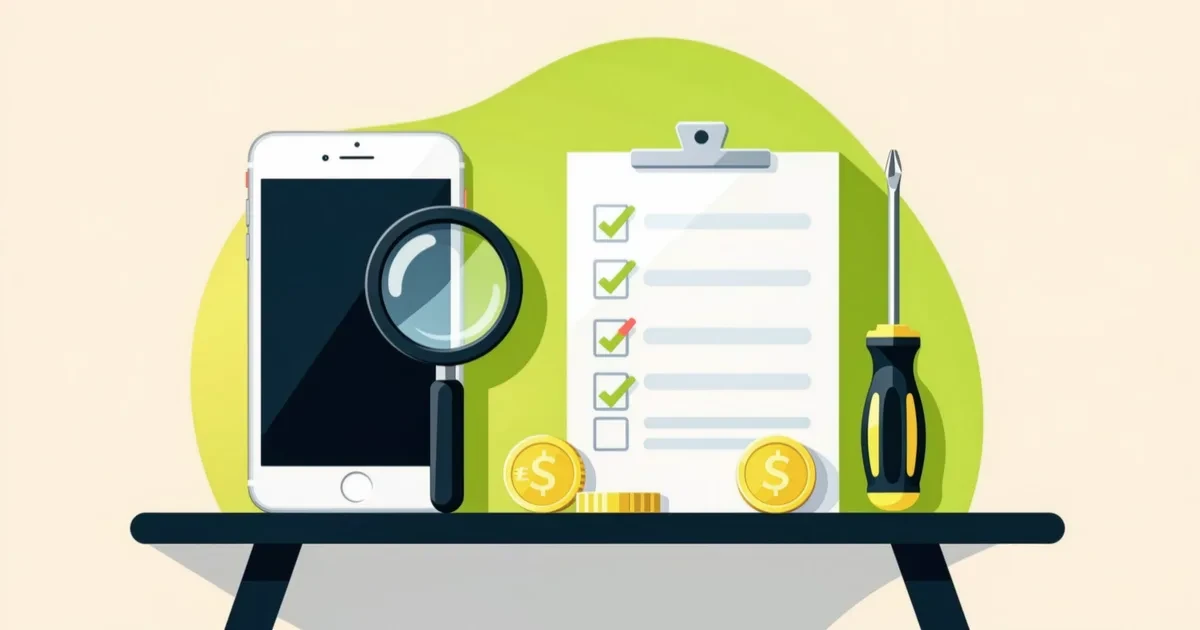
Anyone can write a used phone listing. The difference between a good and a bad deal is what you verify yourself. Most problems show up during a routine check that you can do with the phone in your hand in twenty minutes. This isn't a professional service test; it's a set of questions and actions that reveal mismatches between the description and reality.
This article is a practical checklist for private buyers. It assumes you're reading it on your phone at the meeting. It doesn't replace professional diagnostics or official rules. Where regulations matter, we'll point you to the official source.
What to ask the seller before you meet
The first check happens in messages. Ask specific questions and let the seller answer in their own words. Vague answers to specific questions are a signal-not a reason to end things, but a reason to be cautious.
Write three or four questions at once and notice whether they answer all of them. If they skip one, go back to it. If they avoid the question about the phone's origin, ask again directly.
You'll want to know:
- where the phone came from and whether they bought it new or used,
- why they're selling it and how long they've used it,
- whether it's ever been in for service and what was done,
- whether the Google or Apple account is signed out,
- whether the phone is locked to a carrier or to an installment plan,
- whether it includes the accessories shown in the photos,
- whether they agree to meet in a public place and pay on pickup.
Ask for additional photos that are missing from the listing: the back, the frame, the charging port, the screen in dark mode. Photos of the screen in dark mode reveal scratches that aren't visible on a light background.
If the seller refuses to show the phone before payment or pushes for an upfront deposit, walk away. A deposit on a phone you haven't seen is the most common mistake when buying through a listing.
Documents and evidence to request

With a used phone, you're not entitled to the complete device history, but you can ask for what the seller has. Keep written communication in the app or messages so the description of condition and price is traceable.
In practice, ask for the proof of purchase if the seller has it, the repair receipt and the original accessories. If the phone was bought in installments, ask whether the device is paid off. If the seller says the phone is second-hand, ask where they got it.
On EX & GO, review the listing rules so you know what a listing must include and how to report a suspicious one: listing rules. Support explains how communication through the site works: support. Listing moderation is not a verification of identity or phone condition, so the check remains up to you.
How to check a used phone at the meeting: step-by-step checklist
At the meeting, follow a fixed order so you don't forget anything. The following checklist is meant to be read from your phone. If you can't complete a step, note why and come back to it before paying.
- Check the IMEI in the settings and compare it with the number on the box or the account. Address any mismatch immediately.
- Look at the frame and corners under light. A bent frame or a gap near the screen suggests a drop or an unprofessional repair.
- Run your finger across the entire screen. Dead spots and delayed response are immediately visible.
- Turn on a white screen and a dark screen. Look for scratches, spots and uneven backlighting.
- Test touch in the corners and edges, where problems most often appear after a glass replacement.
- Open the camera and take several photos with both the front and rear cameras. Check sharpness and dust in the lens.
- Play a short video with sound and without headphones. Check the speaker, microphone and earpiece.
- Call your own number from the phone. Verify signal, volume and whether the other party hears you clearly.
- Connect to Wi-Fi and mobile data. Check page load speed and connection stability.
- Test charging with your own cable. The connector must hold firmly and the phone must report charging without cutting out.
- Check the battery status in the settings and compare it with what the listing stated.
- Check the fingerprint or face recognition if the phone has them.
- Open the settings and see whether the Google or Apple account is signed out and whether the phone is locked to an account.
- Restart the phone and note whether it boots without an error message or emergency mode.
- Go through the about device settings and check the model, storage capacity and system version.
If the seller reacts nervously at any point or discourages you from testing, that's important information. Politely ask why. Sometimes it's about time, other times it's a hidden problem.
Hidden defects you can spot during a routine check
Three things are most often hidden: a replaced screen, a weakened battery and a phone that has been in contact with water. All three can be at least partially detected without a repair shop.
With a replaced screen, watch for color tone, slight light bleed around the edges and whether touch responds equally in the center and corners. With the battery, compare the reported health with what the listing promised and ask how often the phone was charged. With water, look at the indicator in the charging port, fogging in the camera and signs of corrosion under the cover if it can be opened without tools.
Other common issues include a worn charging port, a damaged speaker after a drop, a non-working vibration motor and weak signal. Each shows up in the steps above. If the phone freezes or restarts itself during testing, end the inspection.
What to check before the deal and how to decide

Before the meeting, set a maximum you're willing to pay and two or three things that are non-negotiable for you. If the phone doesn't meet them, don't close the deal, even if the price is tempting.
Compare prices of similar models in the same category on the market, for example in the electronics category on EX & GO, and notice how much the offer deviates from others. A significantly lower price with a good description is a reason to ask why, not automatically a reason to buy.
Simplify your decision with these criteria:
- the seller answered all questions and agreed to an on-site inspection,
- the IMEI matches the document or box,
- the screen, cameras, speaker and charging passed testing without issues,
- the battery matches the description or the difference is explained,
- the account is signed out and the phone is not locked,
- the accessories match the photos in the listing,
- the price is within a reasonable range compared to similar offers.
If any point doesn't add up, it's not automatically a dealbreaker. Tell the seller what doesn't match and let them respond. Sometimes the difference can be explained, and sometimes it's better to walk away.
How to close the deal safely
Arrange to meet in a public place, ideally during the day, and hand over the money only after completing the full inspection. Treat payment on pickup as a basic rule for private sales.
If the seller suggests paying in advance or via a link you don't recognize, don't close the deal. If paying in cash, count the amount before handing it over and keep a receipt if the seller provides one. Agree on the terms in writing through the site so there's a record of the price and phone condition.
After taking possession, check the IMEI once more and confirm the phone isn't locked to an account. If a problem appears that you overlooked at the meeting, address it as soon as possible and in a communication channel where you have a record. Report a suspicious listing or seller behavior through support. For fraud and financial loss, contact the police: Ministry of Interior of the Slovak Republic. For consumer purchases from a business, find information about your rights on the Slovak Trade Inspection website.
The next step is simple: open the listing, copy the questions from the first section and send them to the seller before arranging a meeting. Keep the checklist from the second section open on your phone during the inspection.
Frequently asked questions
How do I check a used phone quickly at a meetup?
Start with the IMEI and the screen, then check the camera, speaker, charging and internet connection. Confirm the account is signed out and restart the phone. The full checklist takes about twenty minutes. If any step fails, stop the inspection and do not complete the purchase.
What should I ask the seller in advance?
Ask for extra photos of the frame, the screen in dark mode and the charging port. Ask about the phone's origin, any repairs, the reason for selling and whether the device is paid off if it was bought in installments. Keep written communication so you have a record of the described condition and price.
How can I tell if the screen has been replaced?
Look at the color tone, light bleed around the edges and how the touch responds in the corners. A replaced screen often responds unevenly or has different brightness at the same setting. These are clues, not proof. If in doubt, ask the seller directly and keep their answer in writing.
Can I check battery health without a repair shop?
Some phones show battery health directly in the settings. If the phone doesn't provide this information, compare battery life during a short test and ask how often it was charged. You won't get a service diagnostic reading without visiting a repair shop, so decide based on what the phone shows and what the seller can document.
How do I pay safely at an in-person meetup?
Hand over the money only after completing the full inspection and in a public place. Avoid upfront deposits and payments via unknown links. Agree on the terms in writing so there is a record. If the seller pressures you to pay before the inspection, do not complete the purchase and report suspicious behavior through the platform's support.
See also: used phones, used phones in Bratislava.